深挖主页Dig into any profile
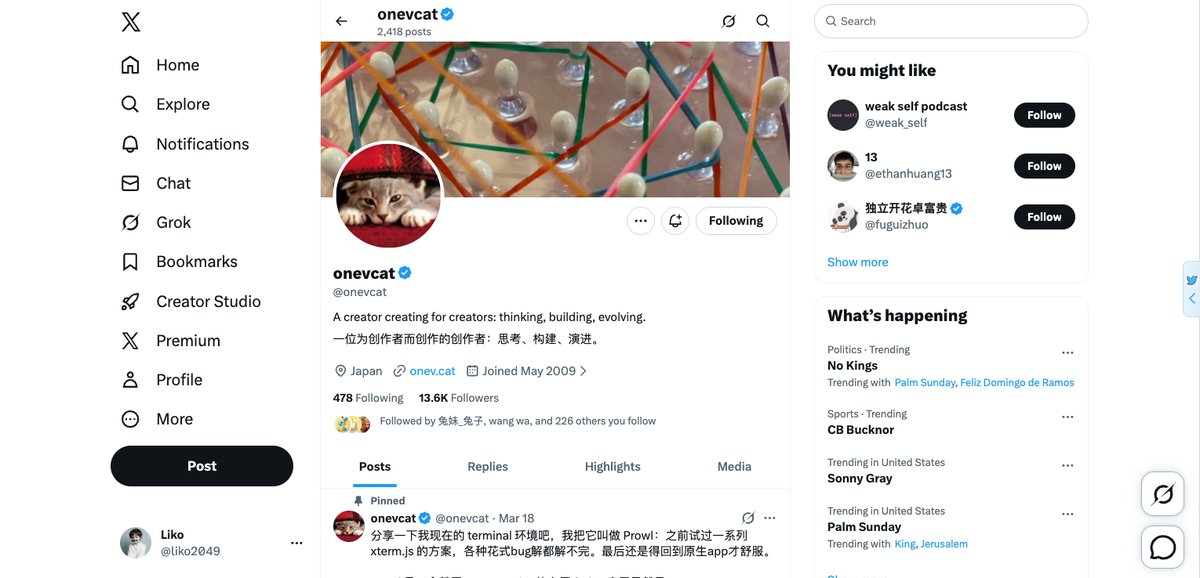
不用跳转搜索页、不用手拼高级语法,在任意主页右侧直接搜,Top / Latest / Photos / Videos 一键切换。No search page, no hand-written advanced syntax. Search right beside any profile and flip between Top, Latest, Photos and Videos instantly.
适用于 X / Twitter 的 Chrome 扩展Chrome Extension for X / Twitter
边看边搜、AI 解读账号、一键导出数据、回溯往年今日——一切都发生在时间线右侧,不打断你的浏览。Search as you scroll, let AI profile any account, export data in one click, and revisit this day in history — all from a sidebar that never interrupts your timeline.
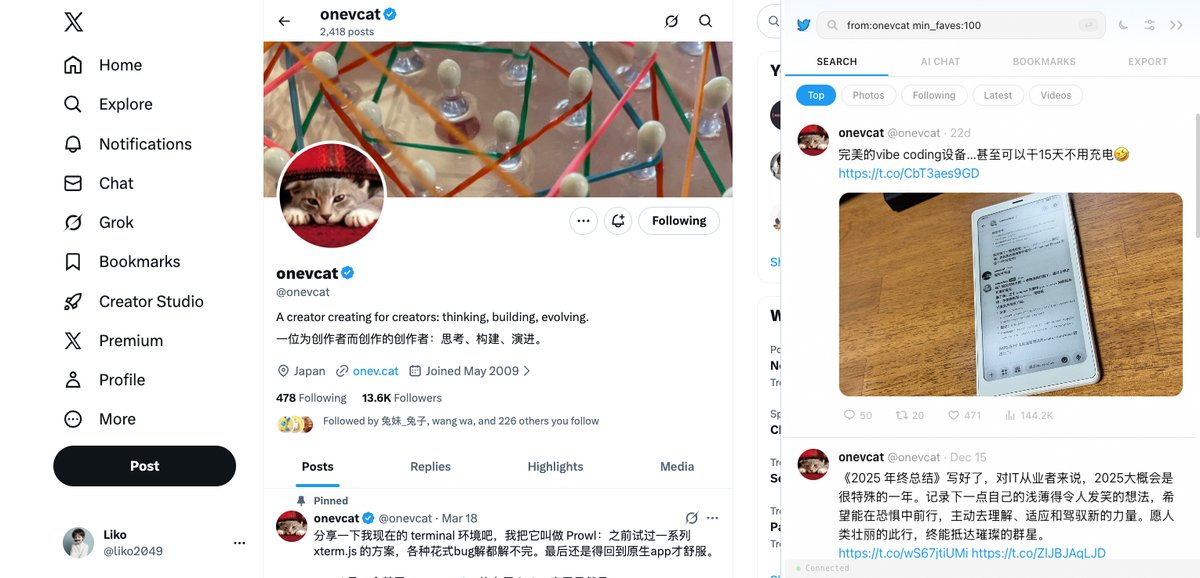
AI Chat 支持你自配的模型提供商,请求直连,不经过第三方中转AI Chat runs on your own provider keys — direct requests, no middleman
从刷时间线到真正用好 X,只差一个侧边栏。One sidebar turns casual scrolling into real work on X.
不用跳转搜索页、不用手拼高级语法,在任意主页右侧直接搜,Top / Latest / Photos / Videos 一键切换。No search page, no hand-written advanced syntax. Search right beside any profile and flip between Top, Latest, Photos and Videos instantly.
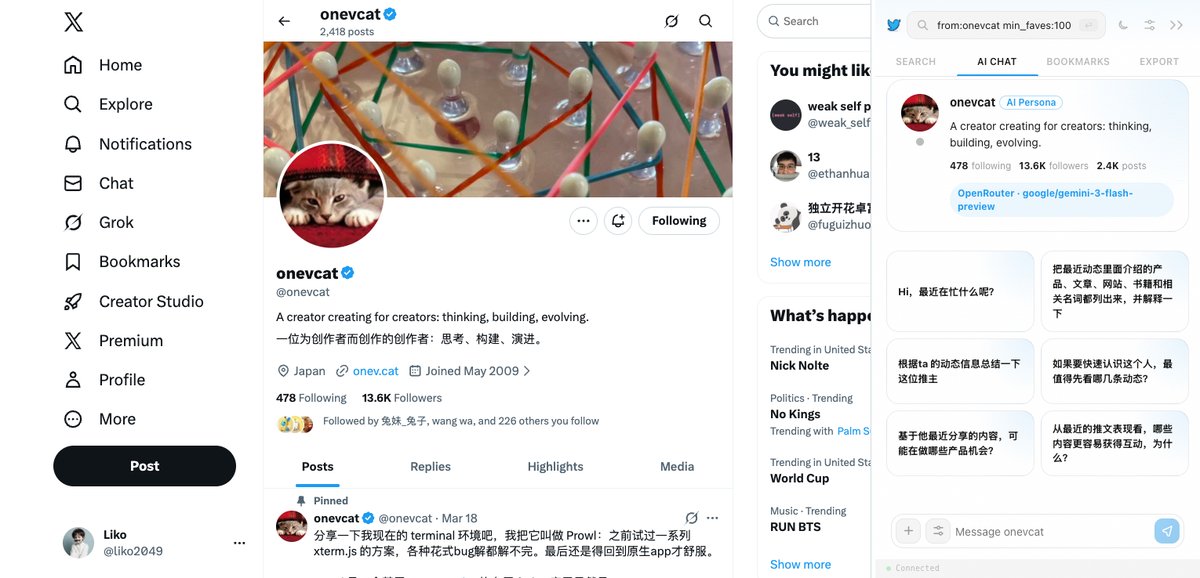
AI 在几秒内总结一个账号的主题、风格与代表作,关注之前先读懂 TA。AI summarizes an account's topics, tone and signature posts in seconds — know who they are before you follow.
浏览任意账号的 Following / Followers,顺藤摸瓜,找到同领域里值得关注的更多账号。Browse anyone's Following and Followers to trace the network and discover more accounts worth following in your field.
时间机器一键回溯:看看这个账号历史上的今天说过什么,观点如何演变。A time machine for timelines: see what an account posted on this day in years past and how their views evolved.
用结构化导出替代截图收藏:推文、媒体、书签、关注关系,随时可暂停、恢复、设上限。Replace screenshot hoarding with structured exports: tweets, media, bookmarks and follow graphs — pausable, resumable, with limits you set.
六大能力,浓缩进一个不打断浏览的侧边栏。Six capabilities, packed into one sidebar that never gets in your way.
在任意主页或时间线右侧直接搜索,Top / Latest / Photos / Videos / Following 多种视图随时切换。Search from the sidebar on any profile or timeline, switching between Top, Latest, Photos, Videos and Following views.
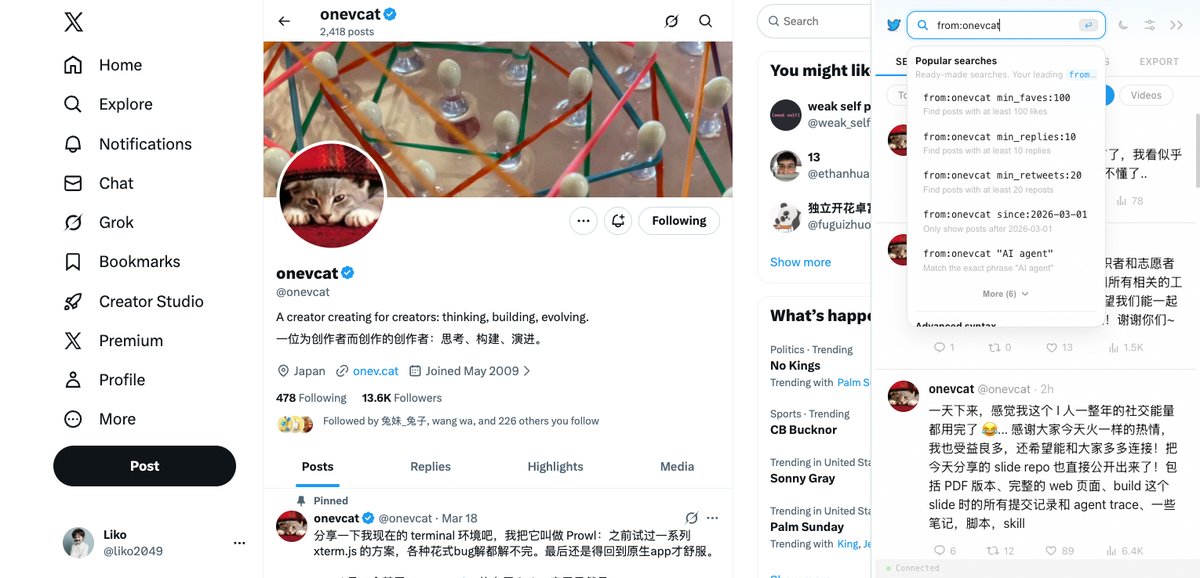
预设常用搜索与高级语法,点击即用;自动注入当前浏览的用户名,支持「近 3 天热门」等动态日期模板。Preset searches and advanced operators, one click to run. Auto-fills the user you're viewing, with dynamic date templates like "top posts from the last 3 days".
对任意账号发起 AI 对话,支持自配 OpenAI、OpenRouter、DeepSeek、智谱、MiniMax、Kimi、Qwen、Grok、Groq、SiliconFlow、Mistral 等提供商。Chat with AI about any account, using your own keys for OpenAI, OpenRouter, DeepSeek, Zhipu, MiniMax, Kimi, Qwen, Grok, Groq, SiliconFlow, Mistral and more.
导出用户推文、媒体、书签与关注关系,可暂停、可恢复、可设上限,进度尽在掌握。Export tweets, media, bookmarks and follow relationships — pausable, resumable, and capped at the limits you choose.
按时间线回溯任意用户「历史上的今天」,观点变迁一目了然。Travel back along any user's timeline to this day in history and watch their views change over the years.
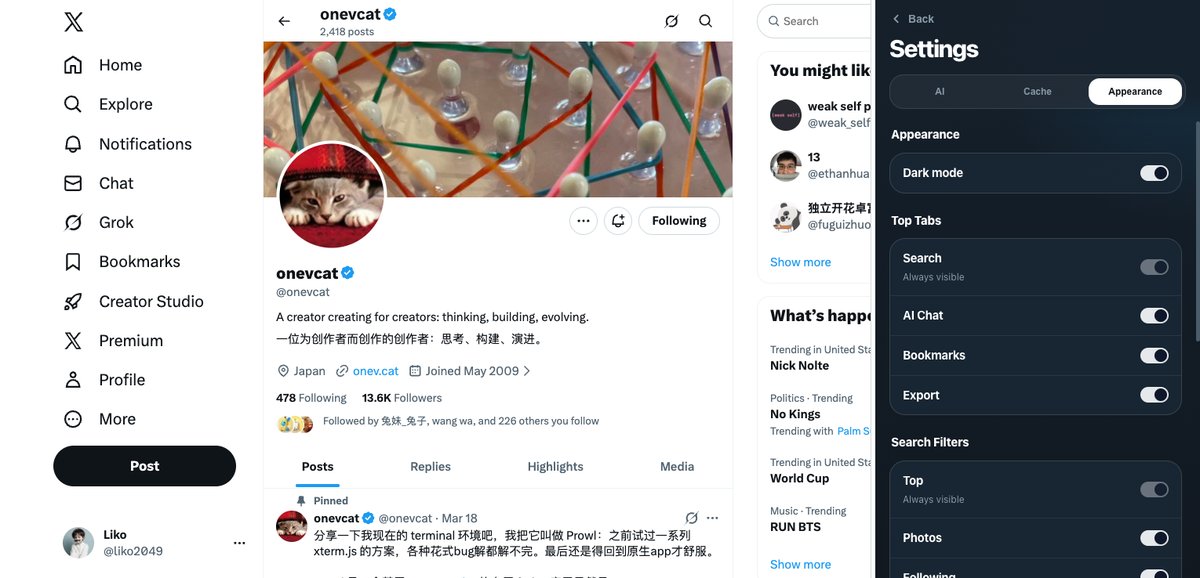
暗色模式护眼;Search / AI Chat / Bookmarks / Export 标签页可按需开关;不用时侧边栏收成右下角浮标。Easy-on-the-eyes dark mode, toggleable Search / AI Chat / Bookmarks / Export tabs, and a sidebar that folds into a floating button when idle.
所有能力都直接运行在 X 页面里,无需离开当前标签页。Everything runs right inside the X page — no new tabs required.
主页右侧即开即搜;搜索辅助面板把常用高级语法变成按钮,自动填入当前用户,一次点击跑完复杂查询。Search opens beside any profile. The assistant turns advanced operators into buttons, fills in the user you're viewing, and runs complex queries in one click.
发起一次对话,几秒拿到账号的主题画像、发言风格与代表作;模型提供商由你自己配置,请求直连,不经过第三方中转。Start a chat and get an account's topics, tone and signature posts in seconds. You bring your own provider key — requests go straight to the provider, no middleman.
暗色模式贴合夜间浏览;不用的时候侧边栏收成右下角一枚小浮标,需要时一点即开。Dark mode for late-night scrolling, and when you're done the sidebar folds into a small floating button — one tap brings it back.
一分钟内完成安装并开始使用。Up and running in under a minute.
从 Chrome Web Store 一键添加 DeepTweet 到你的浏览器。Add DeepTweet to your browser from the Chrome Web Store in one click.
确保浏览器已登录 x.com——扩展直接复用现有会话,无需再次登录。Make sure you're logged in to x.com — the extension reuses your existing session, no extra sign-in.
点击扩展图标或页面右下角的浮标,智能工作区即刻就绪。Click the extension icon or the floating button at the bottom-right of the page — your workspace is ready.
配置与缓存只保存在浏览器本地存储Settings and cache live only in your browser's local storage
复用浏览器已登录的 X 会话,不收集密码Reuses your logged-in X session — passwords are never collected
无需注册任何账号No account registration of any kind
AI 请求直连你自配的提供商,不经过我们的服务器AI requests go directly to your own provider, never through our servers
核心功能免费使用。AI Chat 使用你自己配置的模型提供商密钥,相关费用由对应提供商按你的用量收取。Core features are free. AI Chat runs on provider keys you configure yourself, so any model usage is billed by your chosen provider under your own account.
不需要。DeepTweet 复用浏览器中已登录的 X 会话,不收集密码,也不要求你注册任何新账号。No. DeepTweet reuses the X session already logged in your browser. It never collects passwords and never asks you to register anything.
支持 OpenAI、OpenRouter、DeepSeek、智谱(Zhipu)、MiniMax、Moonshot/Kimi、阿里 DashScope/Qwen、x.ai Grok、Groq、SiliconFlow、Mistral 等多家提供商,均可在设置中自行配置。OpenAI, OpenRouter, DeepSeek, Zhipu, MiniMax, Moonshot/Kimi, Alibaba DashScope/Qwen, x.ai Grok, Groq, SiliconFlow, Mistral and more — all configurable in the settings.
所有配置与缓存都保存在浏览器本地存储;AI 请求从你的浏览器直连所配置的提供商,不经过我们的服务器。详见隐私政策。All settings and cache stay in your browser's local storage, and AI requests go straight from your browser to the provider you configured — never through our servers. See the privacy policy for details.
不是。DeepTweet 是独立开发的第三方扩展,与 X Corp. 没有任何关联,也未获得其背书。No. DeepTweet is an independent third-party extension and is not affiliated with or endorsed by X Corp.
支持 Chrome 以及 Edge 等基于 Chromium 内核的桌面浏览器,均可从 Chrome Web Store 安装。Chrome and other Chromium-based desktop browsers such as Edge — all installable from the Chrome Web Store.
免费安装,无需注册,一分钟上手。Free to install, no sign-up, ready in a minute.
添加至 ChromeAdd to Chrome